*except in certain American countries, offer reserved for private customers (see conditions)
❄️ Christmas offer - 1 BipBubble FREE with the purchase of an instrument! ✨
Get your vario in time for Christmas: order now before Thursday 12 December 12:00
Please follow the steps below:
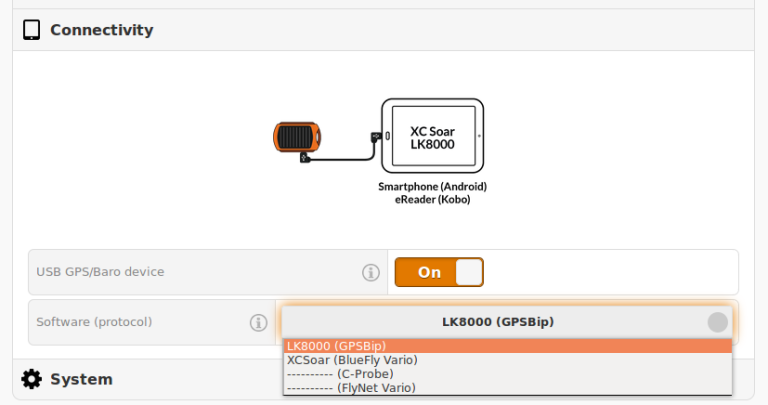
Activate Connectivity mode on your GPSBip via the Configurator
Always in the Configurator :
Make sure that your tablet's OTG function is activated.
Connect your GPSBip to your tablet using the USB OTG cable supplied.
Switch on your GPSBip
In the XCtrack configuration menu :
Click on Sensors, select USB sensors
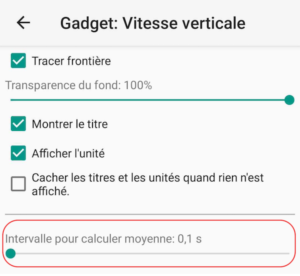
To view the Instantaneous Vario in the "Vertical Speed" widget :
click on Customise, "Vertical Speed" widget, Configure Widget, Interval for calculating average: 0.1s
(the same applies to the "vario bar" widget)
Return to the main screen and wait at least 45sec for automatic connection